Rules
What can change
| Item | Reorder | Edit its details here |
|---|---|---|
| Unreal shortcut | Yes | No |
| Custom shortcut | Yes | Yes |
| Unreal category heading | Yes | No |
| Custom category heading | Yes | Yes |
| Entry in a custom category | Yes, within that category | Yes |
| Entry inside an Unreal category | No | No |
Reorder
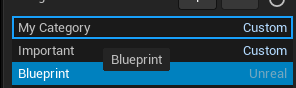
Drag a row in Shortcuts or Categories over the row where you want it, then release. You can move both Unreal and Custom top-level rows. The outlined row is the drop target: here, Blueprint is moved above My Category.
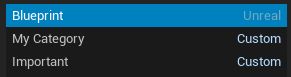
You can also drag entries within a Custom category. Entries inside an Unreal category cannot be moved. Changes are saved automatically.
Reset order
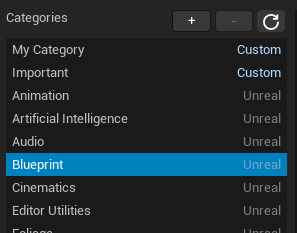
Click the circular-arrow icon beside Shortcuts or Categories to restore that list's default order. This clears only its saved order; it does not delete your custom shortcuts, categories, or entries.